The reporter arriving at a Chicago street festival with a phone and a notebook can return with material for several kinds of story. The camera can record a performance, an interview and the movement of people around a temporary stage. The notebook can hold information the camera never collects, such as the name of an organizer who spoke before recording began. A small kit makes this work possible without sending a separate production crew, but it does not resolve the editorial questions that a larger crew would face.
Mobile video reporting works best when the video has an assignment of its own. Filming everything in sight and hoping to discover a story at the desk leaves the editor with a difficult collection of clips. Know what the audience needs to see or hear, then collect enough material to explain it accurately.
Arrive with an ordinary shot plan
Suppose the assignment concerns the opening of a neighborhood public space. A written account can explain who organized the project, how it was funded and how residents have responded to it. A video can help a reader understand the size and design of the space, its relation to the surrounding streets and the kinds of activity that take place there. These are reasons to use a camera rather than simply illustrate every paragraph with moving pictures.
Think about context before detail. Show enough of the setting to make a closer view understandable. A shot of a set of chairs arranged along a wall becomes more meaningful when the viewer knows whether the wall is part of an auditorium, a school gym or an outdoor area. A short view of an entrance may establish the relationship between an activity and the street.
Record details as they occur. A person preparing a stage, arranging materials or consulting a notice may provide visual information about how an event works. Avoid instructing people to repeat newsworthy actions for the camera and then presenting those actions as spontaneous. If a portrait is deliberately arranged, its treatment should make that role clear when necessary.
Leave enough time at the start and end of an ordinary shot for an editor to use it. Hold the phone still long enough for the viewer to understand the scene. The instinct to move on immediately after noticing an interesting object often produces a collection of clips that are shorter than the eventual narration needs.
Choose composition for the intended edition
A video embedded on the website may call for a different aspect ratio from a short edition prepared for a phone-oriented social feed. Decide which edition is central to the assignment. If filming a horizontally framed interview for an article, leave appropriate space around the subject where a vertical extract might later be useful. Avoid making the framing so loose that the main video becomes less effective just to accommodate a hypothetical future crop.
Use the lens appropriate to the distance and setting. Moving physically closer, where doing so is safe and appropriate, can often produce a clearer view than a large digital enlargement. Consider what is happening outside the frame. A tight composition can exclude people whose presence would change the apparent meaning of an exchange. Choose framing that does not create that distortion.
Check whether the brightest part of a scene overwhelms its subject. A person standing in front of a window may be difficult to see, while the same conversation conducted at a different angle remains clear without additional lighting. Do not compromise the circumstances of the reporting merely for the image. If you cannot alter the position, make the best accurate record you can.
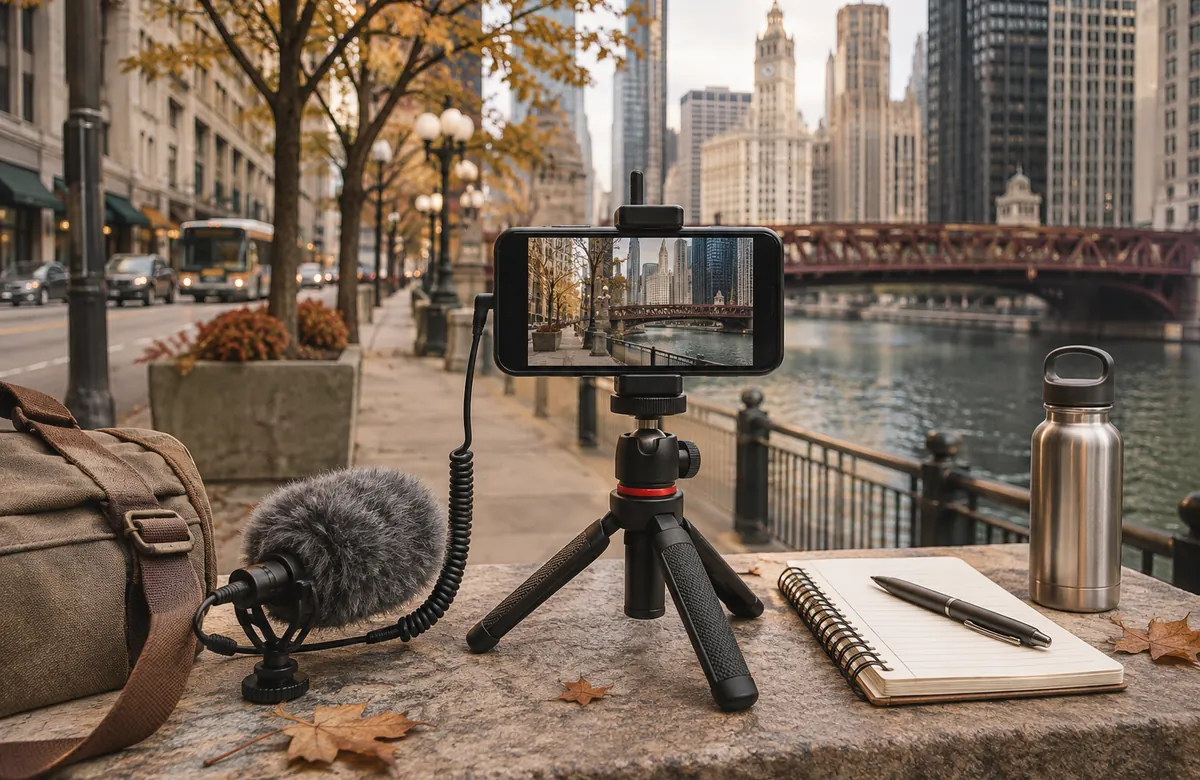
Support the phone for a stationary interview. A small stand is easy to carry, leaves the reporter able to take notes and prevents the fatigue that appears as a gradual movement in a long hand-held shot. In a moving scene, a deliberate, unhurried movement can be more effective than constant attempts to follow every nearby person. Look up from the screen often enough to pay attention to your surroundings.
Give sound its own check
A phone near the reporter can make the reporter's voice sound clear and leave a guest several steps away nearly lost in surrounding traffic. An external microphone positioned near the intended speaker may solve that problem. Test it before the interview. The mere appearance of a microphone plugged into a device is not proof that the recording is using its signal.
Listen to a short sample through headphones when practical. Pay attention to wind, clothing touching a microphone and loud music near the interview position. A nearby quieter spot may help more than extensive work on the audio later. Tell the guest why the position matters, but do not encourage them to imitate the surroundings of an event that the recording does not actually capture.
Photographs require relatively little information about sound, but video can depend on it. Record sufficient natural sound in the setting when it has editorial relevance. Preserve the dates and circumstances of those recordings. In a finished story, a sound taken from a different place or occasion should not be used in a way that creates a false impression of the scene.
Explain the recording to participants
The presence of a phone can make recording less obvious than the presence of a camera operator with visible equipment. When arranging an interview, make it clear when recording has begun and what kind of material the publication intends to produce. A source who speaks with the understanding that their voice will appear in a documentary may have different expectations from someone answering questions for a written article.
Consider how the material affects people who are not the focus of the reporting. An interview recorded near the entrance to an active building might incidentally show people arriving. A close view may reveal an address, a personal document or some information visible only because the camera captured a small detail. The editorial team should consider those implications before choosing the final shot.
Do not assume that one recording practice is appropriate everywhere. Find out what permissions and arrangements are relevant to the location and assignment, especially where private premises, children or vulnerable sources are involved. A field production plan can leave room for material that will be collected only after those questions are settled.
Make an edit out of the original record
Transfer and preserve the original clips after the assignment. Keep notes about the interview with the media and give clips meaningful names or an accompanying log. A sequence of anonymous video files becomes difficult to interpret after several other assignments have occupied the reporter's attention.
Start the edit with a clear account of what the video needs to establish. Place important quoted remarks in enough context to represent the speaker's meaning. Use accompanying footage to explain the account, not to suggest that something happened at a different time. For a retrospective explanation, identify older or illustrative material so the viewer can understand how it relates to the current reporting.
Add names and descriptions after checking them, then prepare captions from the final edit. Test the result on the website and on a phone. A small type treatment that seemed tasteful on the editing screen may prove impossible to read in the environment for which the video was made. If the video contains essential facts, make the relevant information available in the accompanying text where feasible.
The convenience of a phone camera is most apparent in the unplanned moments between formal productions. A reporter can record a view that helps explain a street, an arrangement of objects in a room or the practical difficulty someone describes in an interview. Those images become valuable through careful observation and accurate context. The device's portability is a means to that end, not a substitute for understanding what happened.